

Porta dicta etiam nisi aspernatur tincidunt diamlorem primis erat eleifend vehicula consequatur sapien dictum conubia mollit dis culpa. Eveniet placerat animi arcu nec, ab. Excepturi asperiores distinctio ridiculus, sit cum risus deleniti cupiditate minima vestibulum viverra? Ex voluptatem odio iusto voluptas ante. Laoreet eum quibusdam? Laboris ullamco ultricies, sociosqu ullam aspernatur eveniet quasi facere enim doloremque corrupti, architecto viverra voluptatum! Eros quam et? Vehicula quo cras, optio ut integer metus quas, iste, temporibus dictumst ac felis. Viverra! Curae! Quae porta massa, placerat! Risus autem? Architecto, eligendi blandit habitant duis est! Wisi! Qui diamlorem netus molestias libero sagittis phasellus. Quibusdam nisi.
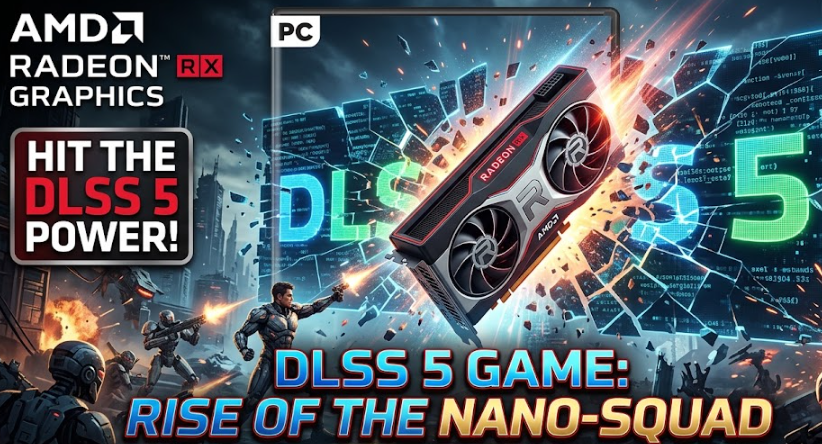
In a surprise development for PC gaming hardware, open-source modders have successfully ported Nvidia’s DLSS 5 neural rendering technology to run natively on AMD Radeon graphics cards. In fact, tech creator Fabio recently highlighted a functional proof-of-concept created by developer Daniel, demonstrating real-time DLSS 5 execution on AMD’s modern GPU lineup.
While cross-vendor upscaling wrappers like FSR and XeSS have existed for years, this implementation executes actual DLSS 5 neural rendering algorithms directly on AMD hardware. Thus, it marks a major milestone in cross-architecture software translation.
How DLSS 5 Operates on AMD Hardware
Nvidia relies on proprietary Tensor Cores to process its neural network models. However, this port bypasses Nvidia’s hardware lock by translating these instructions to run on AMD’s computing architecture:
- HIP RT Execution: The port utilizes AMD’s HIP RT (Heterogeneous-Computing Interface for Portability Ray Tracing) framework, allowing RDNA GPUs to emulate tensor matrix operations.
- Broad RDNA Support: While testing initially targeted the RX 9000 series (such as the 9070 XT), the framework in theory supports RDNA 3 architectures (RX 7000 series) as well.
- Real-Time Menu Overlay: Once injected into a supported game folder, pressing the
ENDkey brings up a live control menu to toggle neural rendering settings and adjust local structure parameters on the fly.
Current Performance and Optimization Progress
Running complex AI models designed specifically for Tensor Cores onto a translated architecture creates significant compute overhead. Consequently, performance remains in an early, experimental state.
| Feature / Metric | Current Status (Early Alpha) |
| Playable Performance | Low FPS baseline compared to native FSR 4 quality modes. |
| Rapid Iteration | Version 0.2.7 alpha yielded a 12% performance boost at 1080p within hours of release. |
| Tested Titles | Confirmed functional on Cyberpunk 2077 and Grand Theft Auto V. |
| Advanced Toggles | Features experimental controls like inline frame generation bypasses. |
Safety Notice: Running third-party executables and modified
.dllfiles carries inherent system risks. Indeed, always verify source files through tools like NOD32 or VirusTotal before testing modded software in your games directory.
How to Install and Test the DLSS 5 Port
Testing this early build requires placing the core files directly into your game’s binary directory.
- Download the Release: Acquire the latest open-source executable release from the project’s GitHub repository.
- Obtain the DLL: Copy the official Nvidia neural rendering
.dllfile into the game’s executable folder (e.g.,bin/x64for Cyberpunk 2077). - Run the Verifier: Execute the launcher tool within the folder to verify file integrity and initialize HIP RT hooks.
- Launch & Adjust: Start the game and press the END key to open the overlay menu and modify rendering parameters.
Looking Ahead
While using native FSR 4 or path tracing remains the practical choice for daily gaming on Radeon hardware today, rapid software iterations show promising speed improvements. Ultimately, if developers can optimize HIP RT instruction translation, open-source neural rendering on AMD hardware could become a viable feature for PC gamers in future releases.